Your Skyward grades, and what the next test would do to them.

Elevate is an independent gradebook for Eanes ISD students. It connects from your iPhone straight to Skyward and shows your courses, assignments, and GPA, with what-if scores, grade goals, and the school week alongside.

Built for iPhone, with iOS 17 or later.

View on the App Store
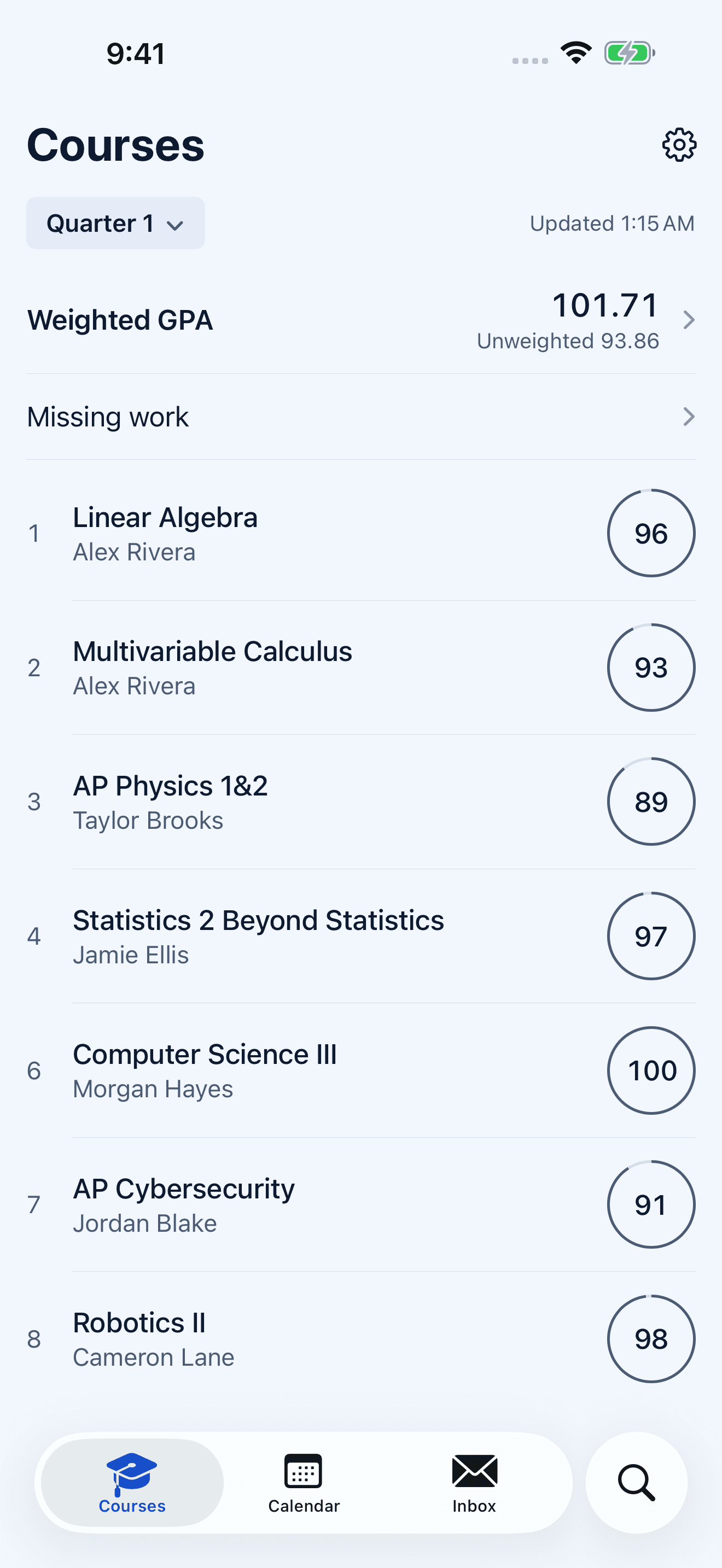
Elevate Courses with seven example classes and their grades.

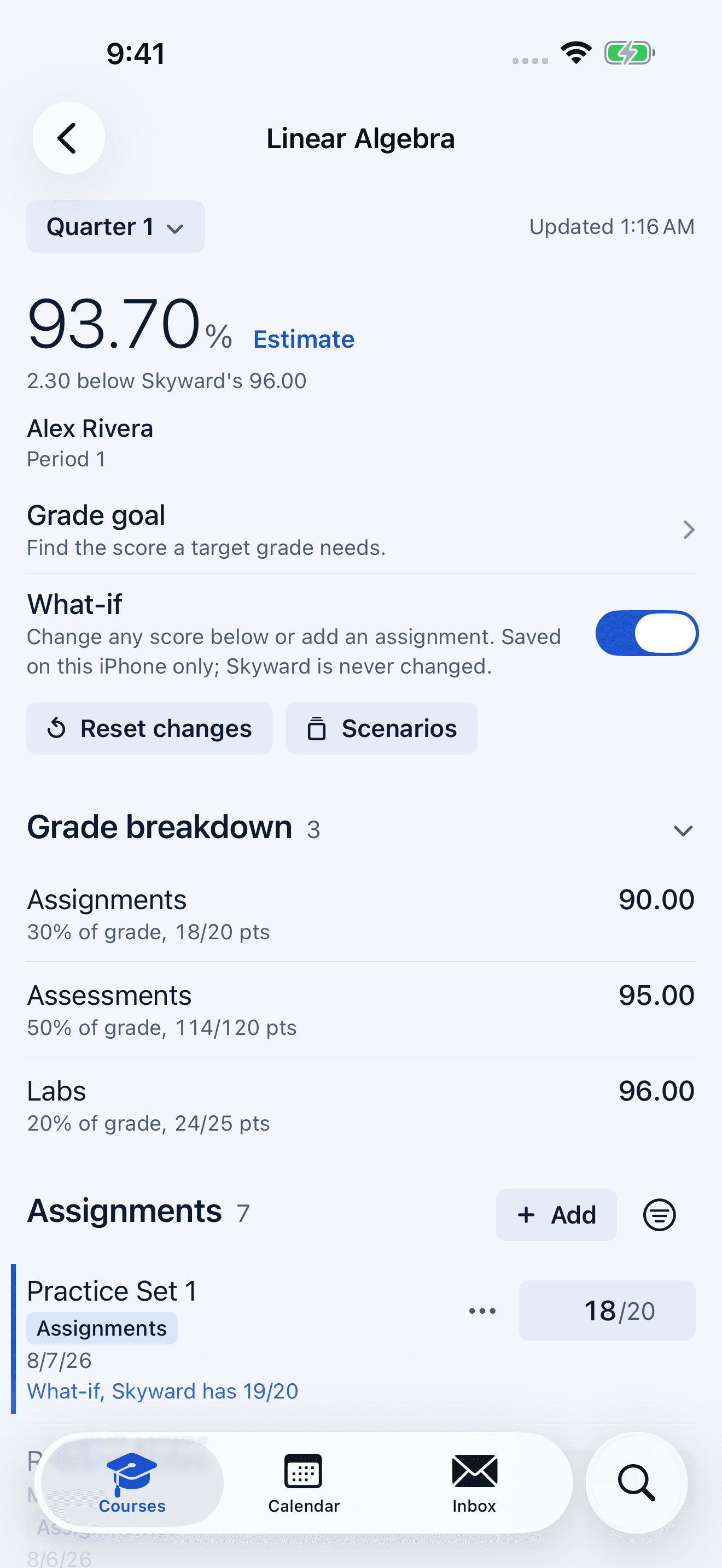
Try a score before it happens.

Change a score or add an assignment. What-if stays on your iPhone.

Linear Algebra course with What-if turned on, showing an Estimate of 93.70 percent, 2.30 below Skyward's 96.00.

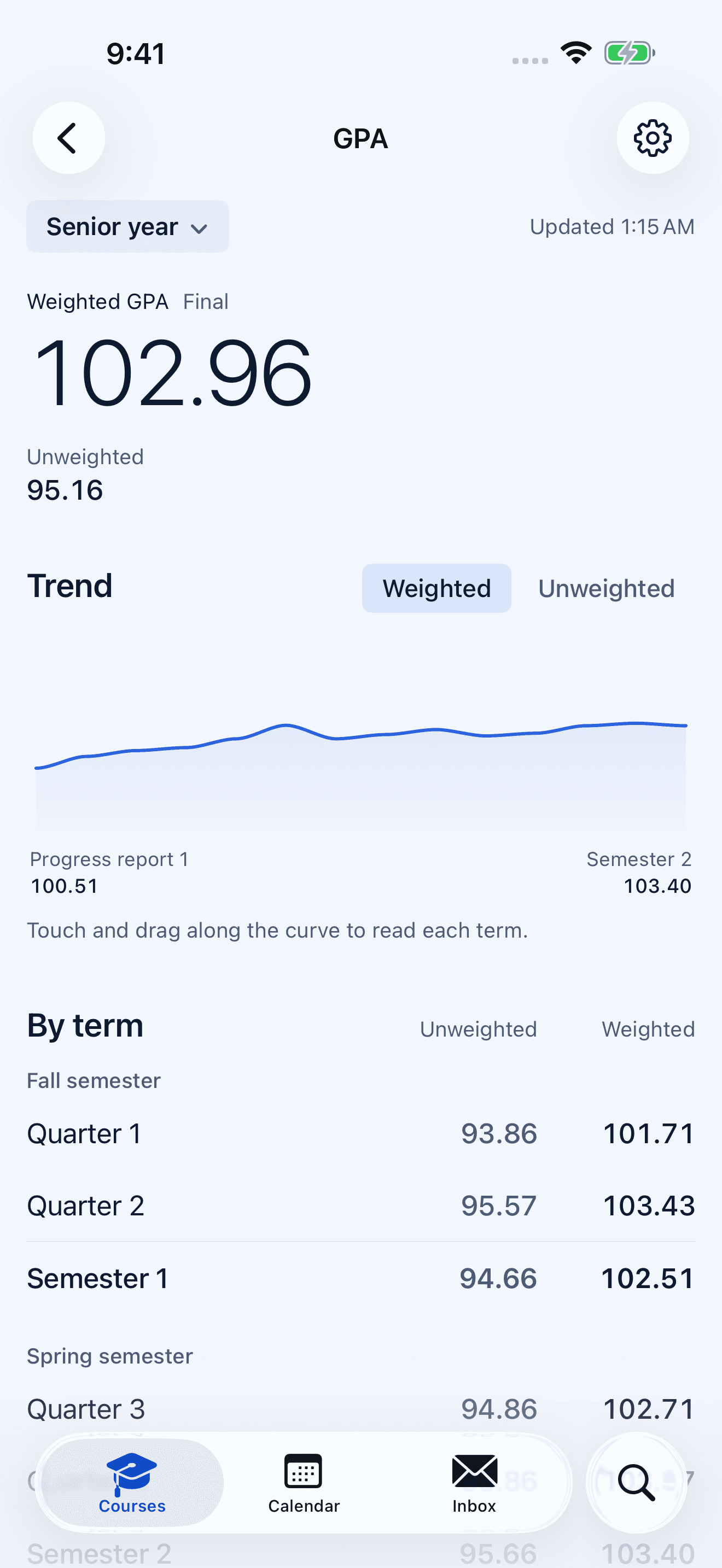
Watch your GPA over time.

Weighted and unweighted, term by term, with the trend for the year.

GPA screen for senior year: weighted GPA 102.96, unweighted 95.16, a trend line, and GPA by term.

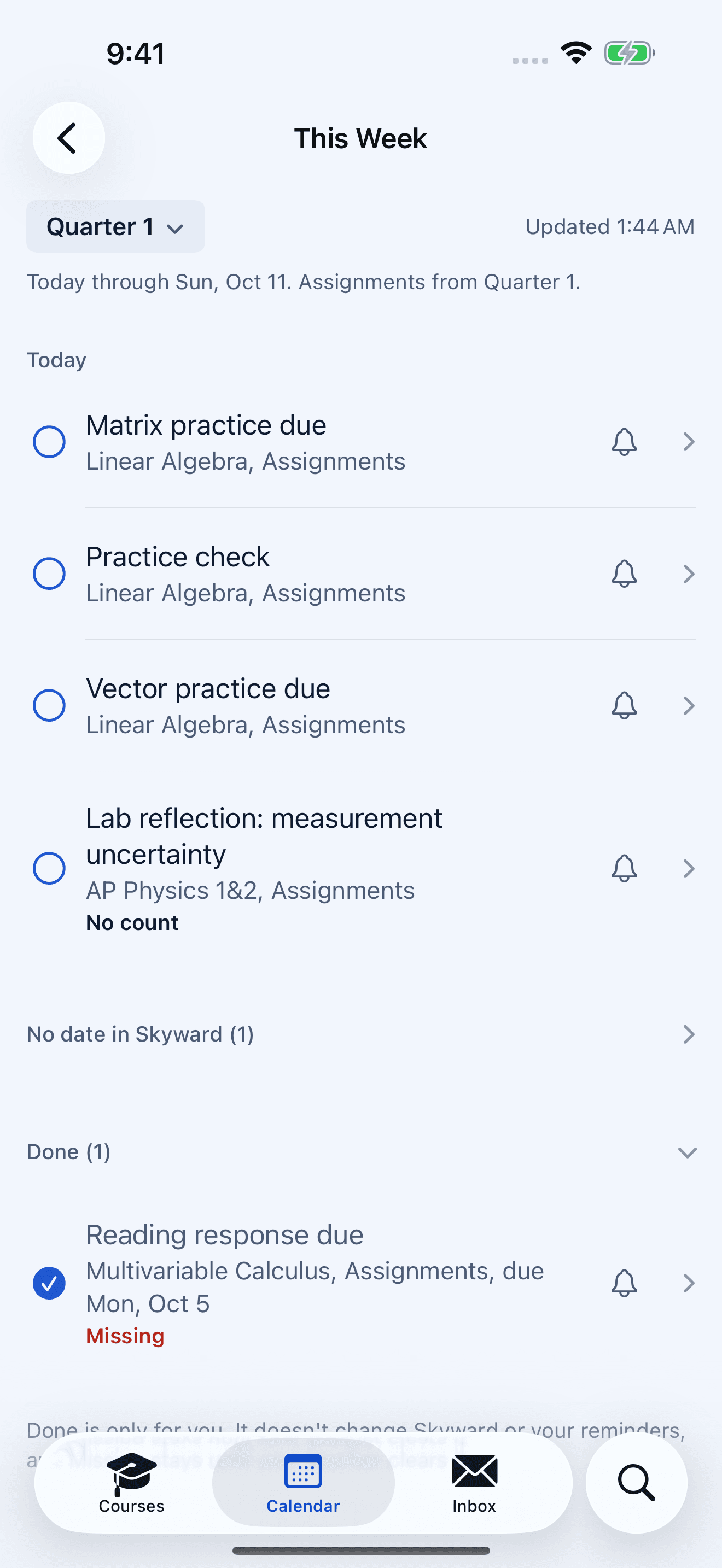
Your next seven days.

Due work in one checklist. Done marks are just for you.

This Week checklist for Quarter 1 with assignments due today and one item marked Done that is still Missing.

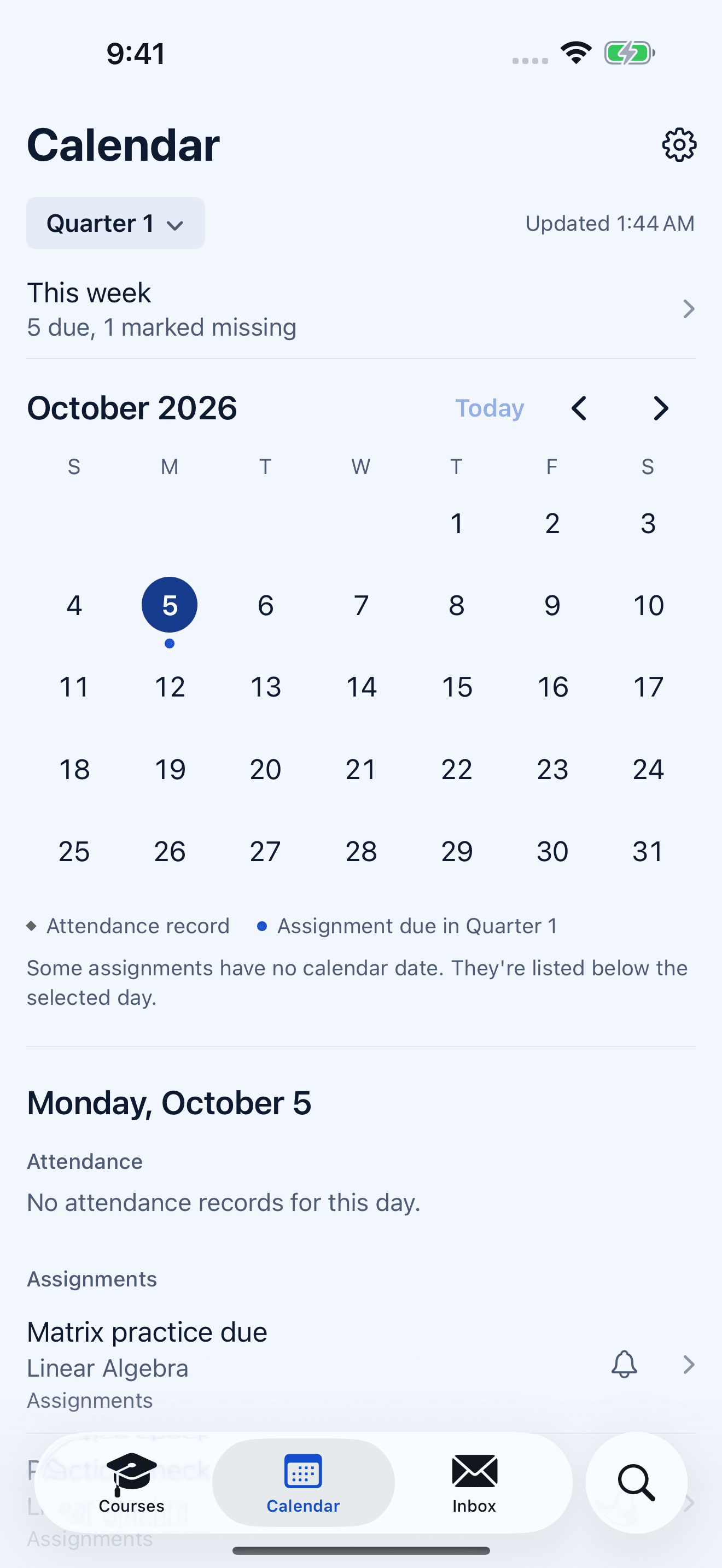
The quarter, on one calendar.

Attendance and assignments due, day by day.

Calendar for October 2026 with Monday, October 5 selected, showing attendance and an assignment due.

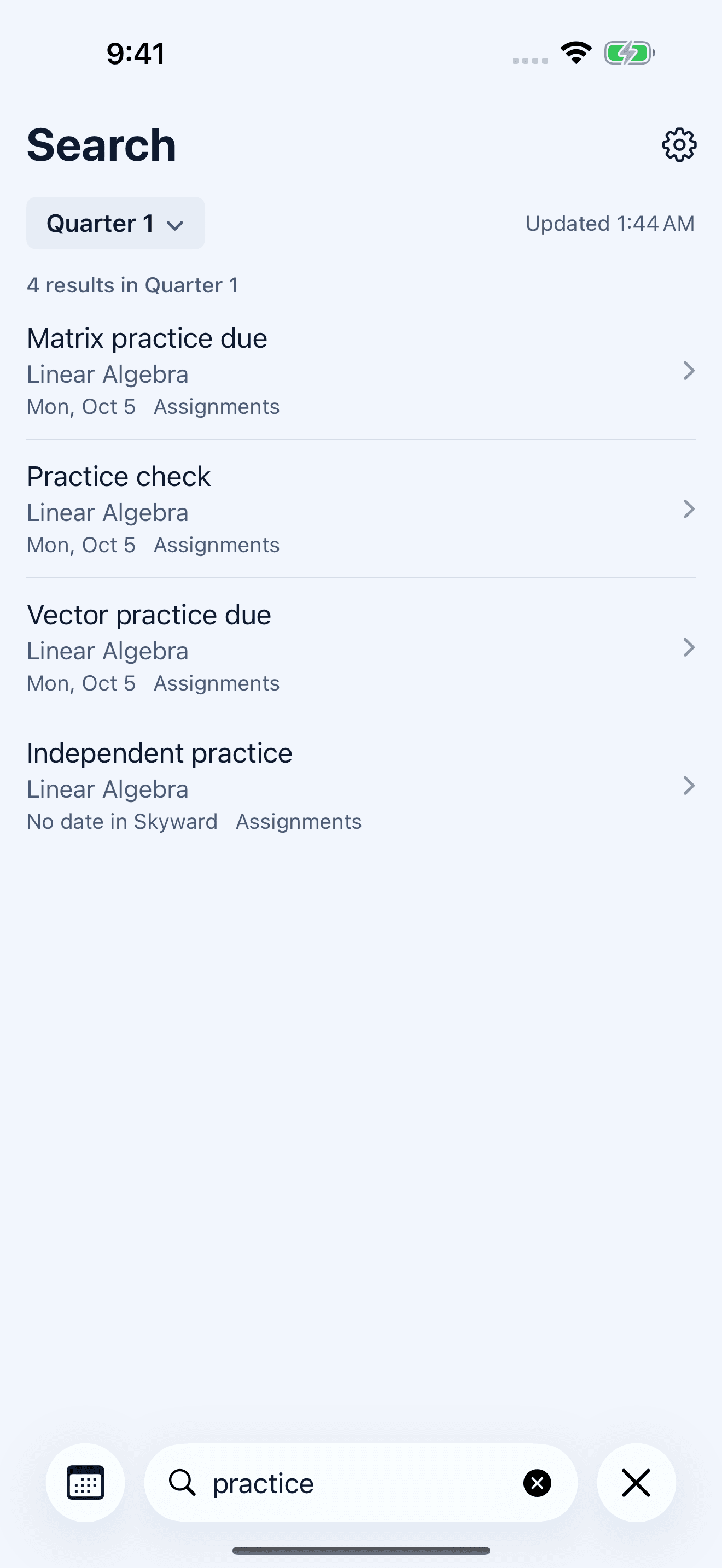
Find an assignment.

Search assignments in the selected quarter.

Search for practice, showing three results in Quarter 1.

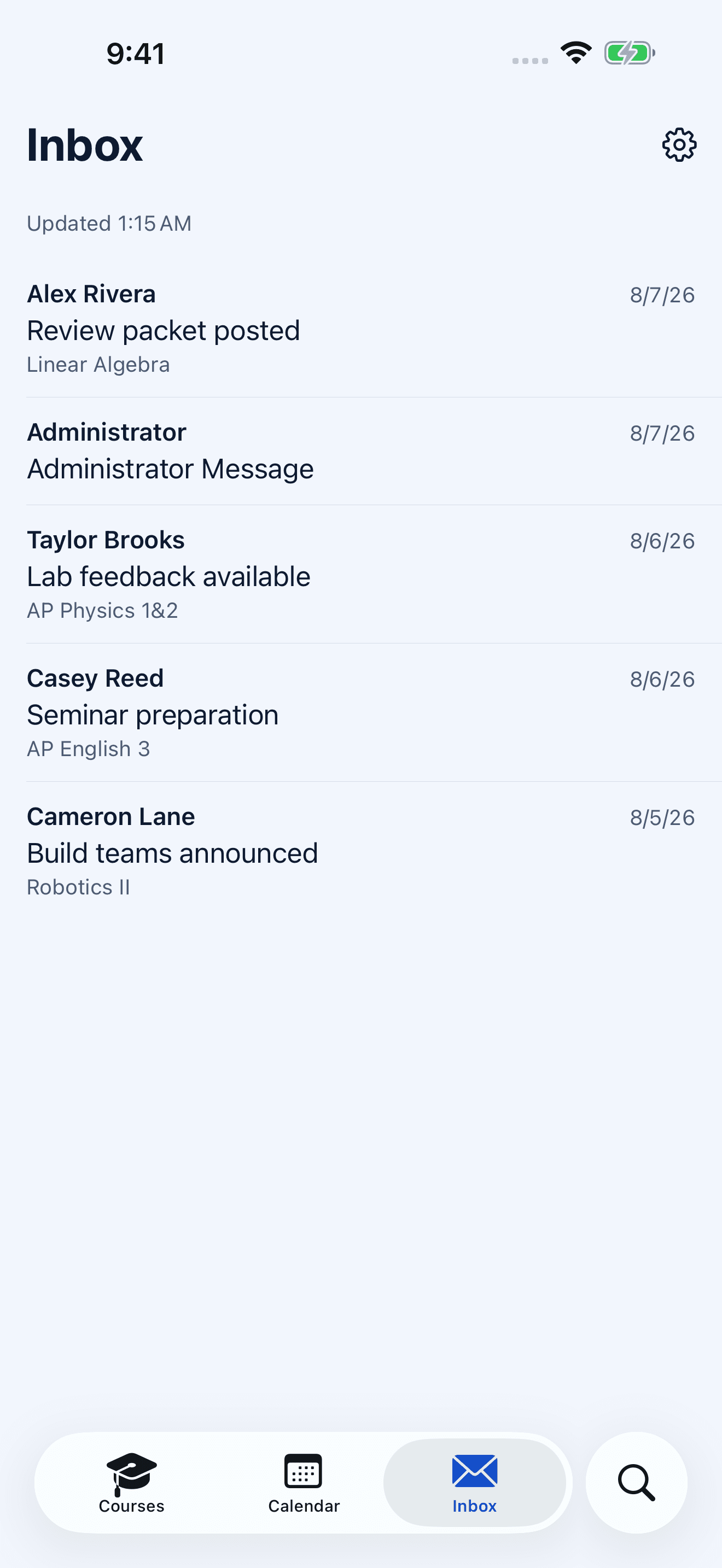
Read your Skyward Inbox.

Messages with sender, course, and date.

Inbox with five synthetic messages from teachers and an administrator.

Make it yours.

Choose a theme, or use a color of your own. Each comes in light and dark, or follows your iPhone.

Classic, light

Navy ink and cobalt on cool white.

Elevate Courses in the Classic theme with light appearance: seven example classes and their grades on cool white.

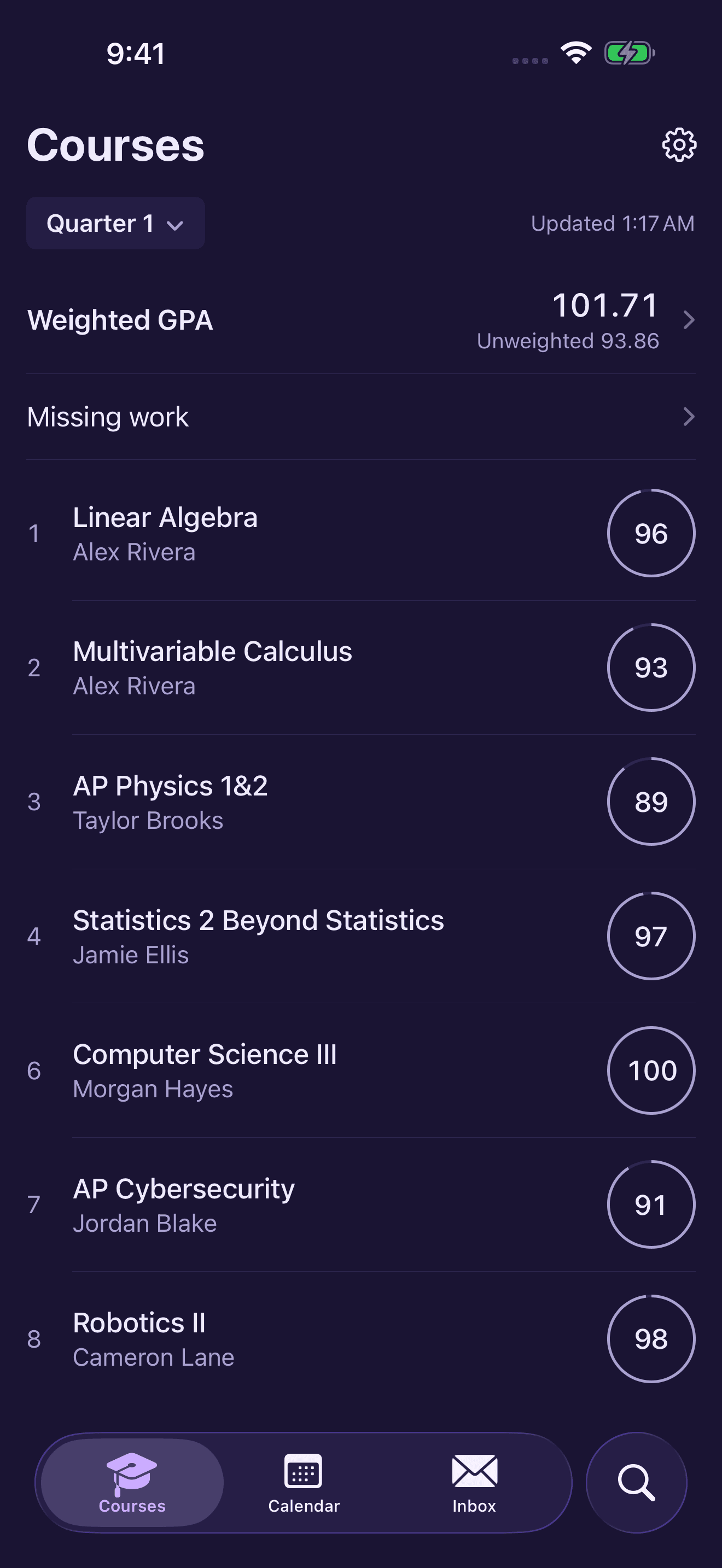
Dusk, dark

Deep indigo with lilac accents.

The same Courses screen in the Dusk theme with dark appearance: deep indigo with lilac grade rings.

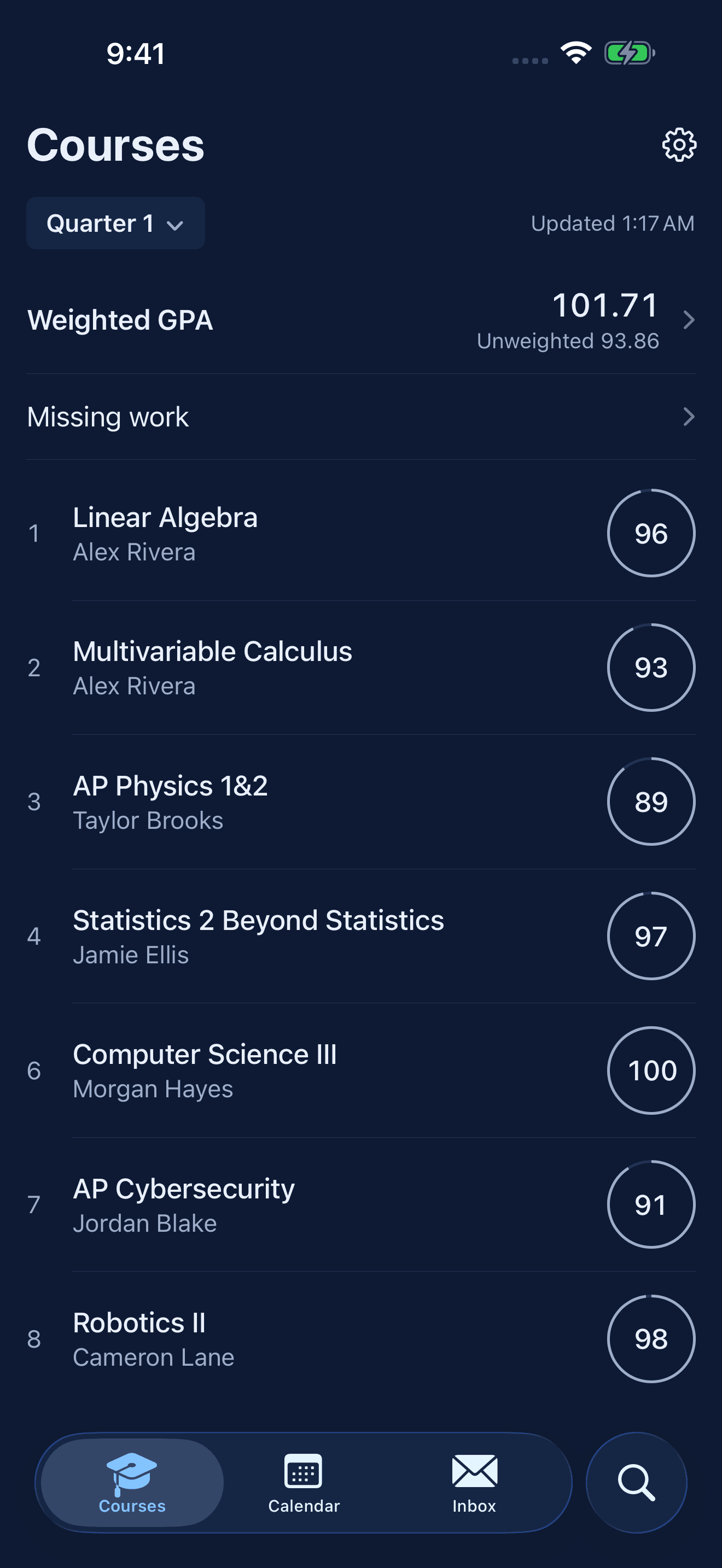
Classic, dark

The same navy and cobalt, after dark.

The same Courses screen in the Classic theme with dark appearance: navy with cobalt accents.

What you can do with Elevate

Elevate reads your Skyward gradebook and adds planning tools that stay on your iPhone. Nothing you try in Elevate is written back to Skyward.

Grades and assignments

Your courses, official grades, and category weights for the selected term, with the assignments behind each average. Search the selected quarter for a single assignment, and read your Skyward Inbox in the same app.

If Skyward can’t be reached, Elevate shows the last saved copy and when it was saved.

What-if scores and grade goals

Edit a score, add a hypothetical assignment, or mark work as not counting, and see how the course average would move. Save scenarios to come back to later. None of it is written to Skyward.

A grade goal works the other way: pick a target and see what a new assignment or exam would need, with the assumptions shown. When unknown work makes the answer unreliable, Elevate says so instead of guessing. A goal is a calculation, not a promised result.

GPA and colleges

Follow your weighted and unweighted GPA over time. The converter restates completed semesters on a general 4.0 or 5.0 scale and shows how it treats AP and Honors courses. It isn’t any college’s official GPA.

Elevate includes sourced college profiles with published admissions guidance and GPA data where available. It calculates an estimate only where a college’s method has been verified. Without one, there’s no estimate, and it never falls back to a default 4.0. Elevate doesn’t predict admissions or calculate class rank.

Credits

Estimate earned credits from posted semester grades. Courses you’re taking now count only if you pass them, and semesters you plan are kept separate. It’s a planning estimate, not a transcript or graduation clearance; your counselor confirms requirements.

Calendar and this week

A calendar for the selected quarter with school dates, attendance, and assignments due, plus a checklist of the next seven days. Calendar and search cover the selected quarter, not every past assignment.

Marking work Done is just for you. It doesn’t clear a teacher’s Missing mark, which only your teacher can change, and attendance never counts as missing work.

Also in the app

School records.
Past courses, documents, student info, and fees. Fees opens the district’s payment website; Elevate doesn’t take payments.
Widgets.
Seven kinds: GPA, GPA Trend, Grades, Recent Grades, Missing Work, Inbox, and School Pulse, in sizes that vary by widget. They show a saved snapshot that can lag behind the app. School Pulse leaves out grades but still shows names and counts.
Alerts and reminders.
Grade-change alerts are optional and off until you turn them on. Alerts and reminders use course and assignment names, never numeric grades. iOS decides when background grade checks run and can delay or skip them.
App lock.
An optional Face ID, Touch ID, or passcode lock, off until you choose it. iOS handles the check, and Elevate never receives biometric data. It doesn’t hide widgets or notification previews.

Your iPhone connects directly to Skyward.

Elevate signs in to Eanes ISD’s Skyward over HTTPS from your iPhone. There’s no developer-run server for your academic records, and no advertising or analytics SDKs. Your login and session are kept in the iOS Keychain, and your school data, plans, and scenarios stay on your iPhone for your account.

A few links open outside services with their own practices, such as college sources, the published school calendar, and the district’s payment site. Disconnecting removes the account’s login, saved school data, and plans from your iPhone; your records stay with the district.

Read the privacy policy

Support

Email what you were trying to do and your iOS version. Please don’t send passwords or screenshots that show private student information.

zach.wilson.atx@gmail.com
Do I need a separate Elevate account?

No. You sign in with your authorized Eanes ISD Skyward student account. There’s no separate Elevate account to create.

What if my iPhone runs iOS 15 or 16?

The native app needs iOS 17 or later. On iOS 15 or 16, the earlier compatible version of Elevate stays a separate path with its own security update. It doesn’t have the native app’s features.

Which schools are supported?

Eanes ISD only. You sign in with your own Eanes ISD Skyward student account. Elevate is independent and isn’t affiliated with or endorsed by Eanes ISD or Skyward.

Can Elevate change my grades?

No. What-if scores, saved scenarios, goals, plans, and Done marks stay on your iPhone and are never written to Skyward. Marking work Done doesn’t clear a teacher’s Missing mark.

How accurate are the GPA, college, and credit numbers?

They’re planning estimates. The converter applies a general 4.0 or 5.0 method to completed semesters and shows its AP and Honors assumptions; it isn’t any college’s official GPA. College estimates appear only where a method is verified. Credit totals count current courses only if you pass them and aren’t graduation clearance. Elevate doesn’t calculate admissions odds or class rank.

Why might something look out of date?

Elevate keeps a saved copy so you can still read your grades when Skyward is unavailable, and it shows when that copy was saved. A grade your teacher hasn’t posted won’t appear yet. Widgets show a snapshot that can lag behind, and grade-change alerts depend on iOS background time, so they can arrive late or not at all. Open the app for the latest information.

Does the app lock hide widgets and notifications?

No. The optional lock protects the app itself. Widgets and notification previews follow your iOS settings and can show course and assignment names even when the app is locked. School Pulse shows no grades, but it isn’t anonymous.

How do I remove my data?

Disconnect your account in Elevate first. That removes the active login, session, saved school data, plans, widget data, and pending alerts for that account on your iPhone. Then delete the app if you like. Disconnecting doesn’t delete district records or files you saved elsewhere. The privacy policy has the details.